
Persecondfor macOS
Make life move fast, even faster. Use Persecond to easily transform your images into a unique time lapse.
Mesmerizing Time Lapses in 3 Steps
Persecond makes time lapse creation simple. Transform your image set into a cinematic time lapse in just 3 steps.
Be the Director
Capture your image set. Think about how each element, from motion to framing will influence your story. When you're happy with it, import your image set into Persecond.
Shape Your Story
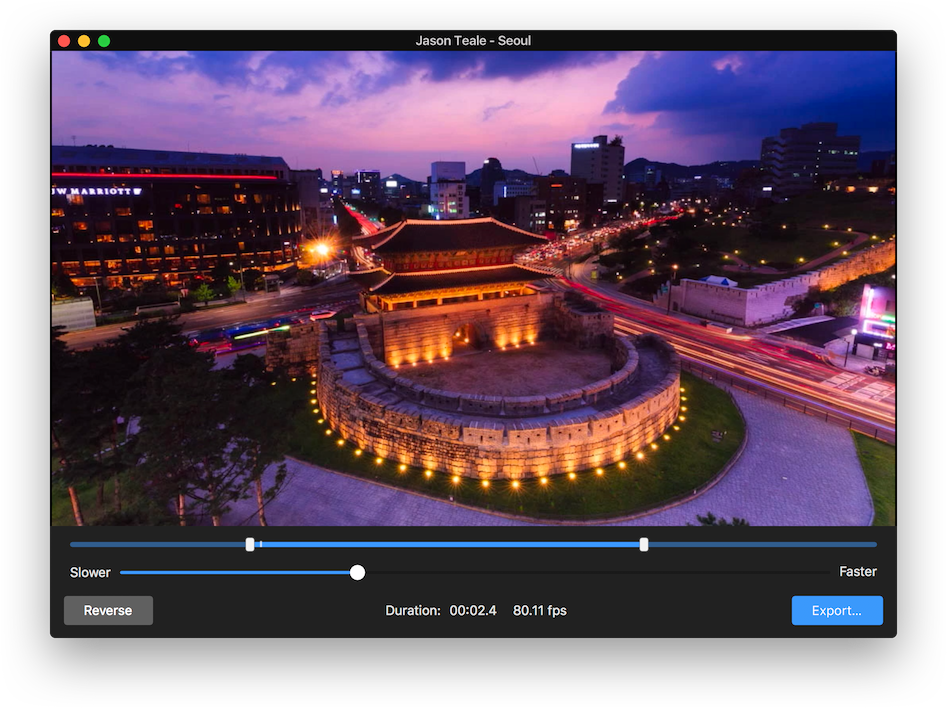
Edit your time lapse to tell your story in the best way possible. Select the in and out points of your time lapse, set the movement to forwards or backwards and pick the overall speed so that the motion is just right.
Share It
It's time for the world to see your beautiful time lapse. Export in broadcast quality using ProRes. Share it on social, or use your time lapse in a larger video production. You can even create a cinemagraph out of your time lapse. Show your view of life, perfectly sped up, in no time at all.
Check out more by the artists featured here.
Create Time Lapse Cinemagraphs with Persecond and Cinemagraph Pro
Transform time lapses created with Persecond into thumb-stopping cinemagraphs using Flixel Cinemagraph Pro for macOS and iOS. Get inspired by time lapse cinemagraphs created by the Flixel Community.
Choose a plan that's right for you
Whether you're a photographer, marketer, or designer, creating cinemagraphs is fun, fast, and easy with Cinemagraph Pro. Select a plan and start using the best cinemagraph creation tools and web-sharing platform.
Get a planSystem Requirements
macOS 11.7 Big Sur or later, 4GB of RAM (8GB recommended for 4K), Metal-capable graphics card (Macs from 2012 or later), 256MB of VRAM (1GB recommended for 4K), 1GB of disk space.